
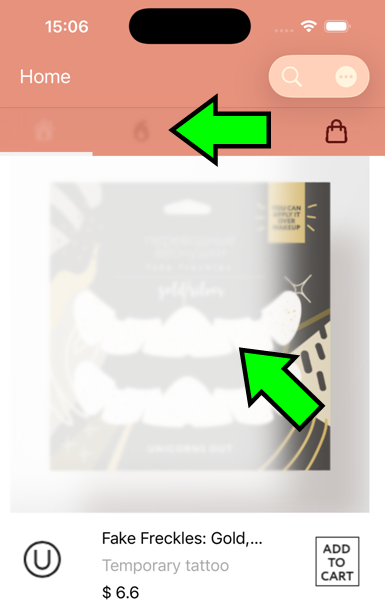
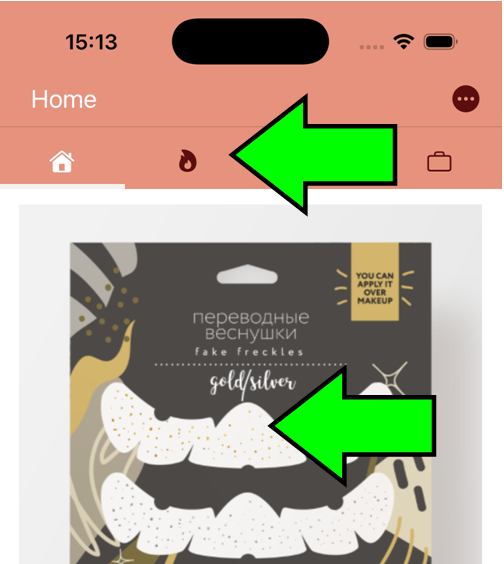
If you suddenly find out, that your old app looks blurry or there is a broad white stripe where it should not be, this may be due to the Navigation Bar issue in iOS 26:
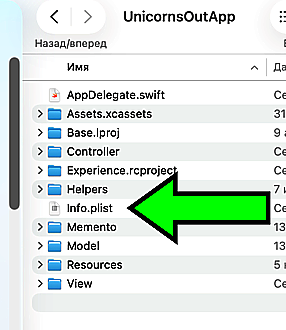
There is a relatively easy fix to this. Go to your project folder and locate your "info.plist" file:
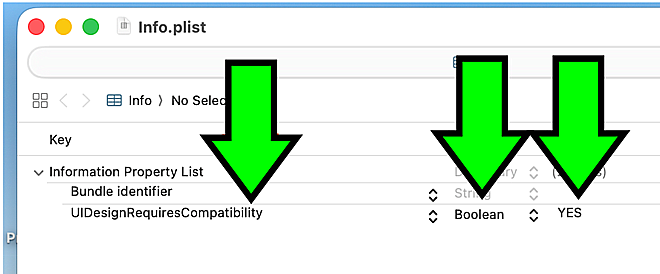
Now you have to manually type in the UIDesignRequiresCompatibility key. Set it as "Boolean" and turn the flag into "YES":
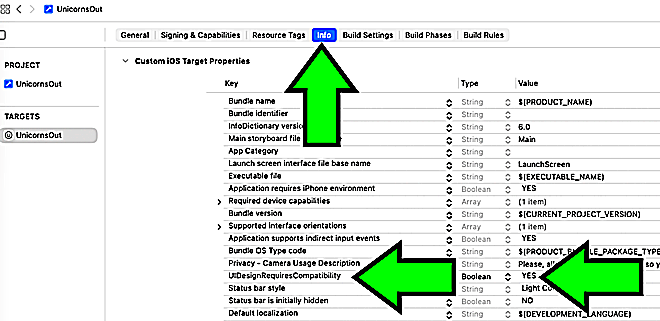
Save and close the "info.plist" file and go back to your project. Now you can see that you have a new entry in the "Info" tab:
If you run the project now, you can notice, that the issues are gone:
Now go say "thank you" to a talented iOS developer Priyanka Poojara for pointing this fix out.
I have actually had to go through Prof. Bryan Voong's old tutorual in order to dig out that was indeed a Navigation Bar issue.
This is it!